


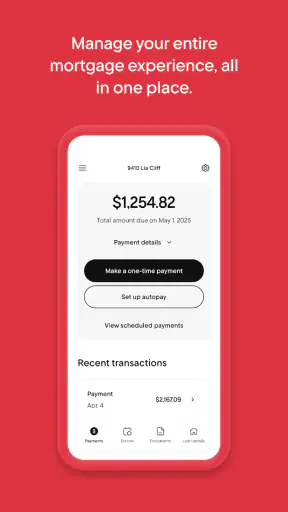
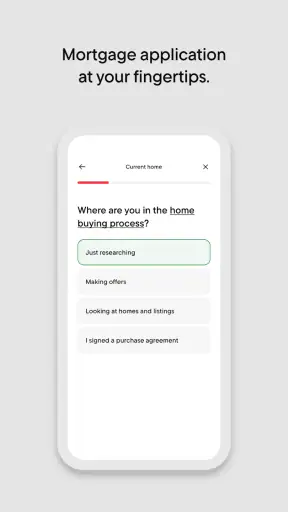
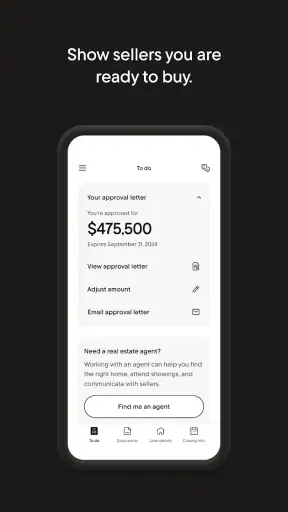
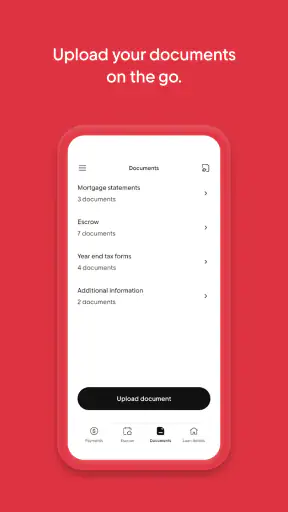
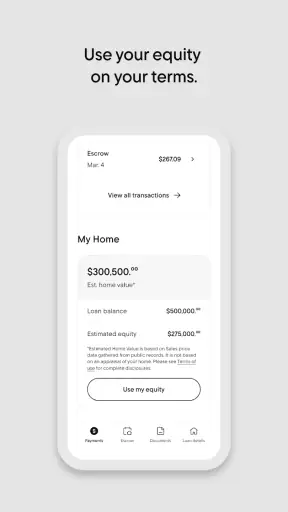
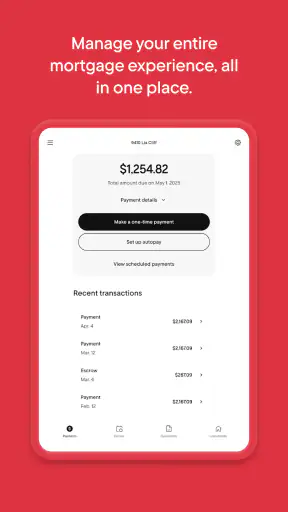
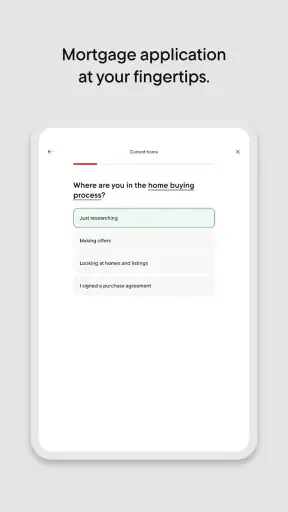
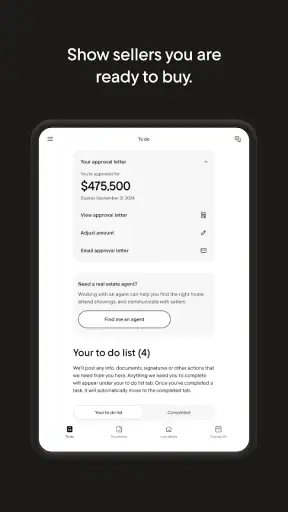
Managing a mortgage is rarely difficult because of one dramatic task. The friction usually comes from small interruptions: finding the latest balance, checking whether a payment went through, locating an important message, or trying to understand what needs attention before a busy week gets even busier. Rocket Mortgage is built for that ongoing relationship with a home loan, rather than for general budgeting or everyday banking. After using it as a finance app, I see its main value in putting mortgage-related tasks in one place without making me switch between a browser, email, paper notices, and a separate banking app.
That focus is also the first thing to consider before installing it. This is not a replacement for a complete personal-finance dashboard, an investment tracker, or a general-purpose bank app. It is a mortgage-management tool from Rocket Mortgage, and it makes the most sense when your loan is already connected to that service. If you want a simple way to stay close to your mortgage, it is a strong candidate. If you are comparing loans from several lenders or looking for a broad view of all your accounts, another type of app may serve you better.
How I Decide Whether a Mortgage App Is Worth Keeping
My first test for an app like this is not how many screens it contains. I want to know whether it answers the questions I actually have when I open it: What is happening with my mortgage? Is my payment status clear? Can I find the relevant account information quickly? Does the app reduce the need to call or search through old messages? A mortgage app earns its place on my phone when it turns those routine checks into a short, understandable visit.
The second test is scope. A focused mortgage app can be more useful than a crowded financial app when the task is specific. Seeing a loan in the same interface as unrelated spending, credit cards, or investments may be convenient for some people, but it can also bury the information that matters most. Rocket Mortgage takes the opposite approach by centering the home loan. That choice makes the experience easier to understand, while also making its limits more obvious.
I also look at the practical cost. Rocket Mortgage is free to install, and it is listed for Everyone, which makes the entry barrier low. The app has a 4.7 average from around 32 thousand ratings, with more than 1 million installs, so it is clearly used at a meaningful scale. Those figures do not decide whether it fits an individual borrower, but they do suggest that this is an established mortgage companion rather than a niche experiment.
Finally, I consider whether an app helps me make better decisions or merely displays information. The best use of this kind of tool is not repeatedly checking a balance out of habit. It is using the available account view to prepare for a payment, review the state of the loan, organize questions, and notice when something deserves closer attention. That is where a focused service can be more valuable than a generic financial tracker.
The everyday workflow feels more useful than a one-time download
Imagine a normal weekday morning. I am about to make a large transfer from my bank account, but I want to confirm the mortgage payment details first. Instead of opening a laptop, searching for a saved bookmark, and navigating a full website, I can use the mobile app as the first place to check the loan. Later, if I need to discuss something with the lender, I already have the account context in front of me rather than starting from memory.
That workflow matters because mortgage tasks are usually occasional but important. I may not need the app every day, yet when I do open it, I want a direct route to the loan rather than a general financial homepage. In my experience, this is the strongest argument for keeping a dedicated mortgage app installed: it reduces the mental effort around a responsibility that is too important to leave buried in an inbox.
Why the focused design can beat a general finance app
General finance apps are excellent when the main question is “Where did my money go?” or “How are all my accounts performing together?” A mortgage app answers a narrower question: “What do I need to know about this home loan?” That distinction is easy to overlook. A broad dashboard may offer more categories, but more categories do not automatically mean a better mortgage experience.
Rocket Mortgage is particularly sensible for someone who wants a single place for the ongoing side of a mortgage relationship. The store summary describes it as a way to manage the entire mortgage through the app, and that is the right way to understand its role. I would not install it expecting a full household budget. I would install it to keep the loan itself easier to monitor and manage.
Three habits that make the app more useful
My first practical tip is to use the app before contacting support. I would check the account view, review any visible information, and write down the exact question I need answered. This avoids a vague conversation and makes it easier to distinguish a missing detail from a genuine problem. A few minutes of preparation can be more valuable than repeatedly refreshing the same screen.
My second tip is to treat the app as a record-checking tool, not as a substitute for personal financial planning. I would compare what I see there with my bank records when reviewing a payment, but I would keep broader cash-flow planning somewhere designed for that purpose. This separation prevents a common mistake: assuming that a mortgage screen tells me whether the household can comfortably afford every other commitment.
My third tip is to open it at meaningful moments rather than compulsively. A monthly review, a change in household income, a move, or a conversation about refinancing is a better reason to inspect the account than checking without a question in mind. The app becomes more useful when it supports a decision instead of becoming another source of financial anxiety.
Where Rocket Mortgage Wins, and Where Another Option Fits Better
The clearest strength is concentration. The app is made by Rocket Mortgage and is designed around its mortgage service, so the experience is more relevant to an existing borrower than a generic banking app would be. I like that kind of specialization when I already know which financial task I am trying to complete. It reduces the number of unrelated screens and keeps the home loan at the center of attention.
It is also a convenient mobile companion for people who dislike managing a mortgage through a desktop browser. A phone is usually nearby when I need to check an account, and a dedicated app is easier to return to than a browser tab that has disappeared. That convenience is not flashy, but it is exactly the sort of improvement that makes an administrative task less likely to be postponed.
Another advantage is continuity. A mortgage is a long-term obligation, so the useful experience is not just the first login. The real test is whether I can come back months later and still understand where to look, what I am reviewing, and which questions need attention. A focused interface has a better chance of supporting that habit than a financial app that treats the mortgage as one tile among dozens.
There is a less obvious benefit for households that divide financial responsibilities. One person may handle daily spending while another keeps track of the home loan. In that situation, a mortgage-specific app can give the second person a clearer working space without requiring them to learn the entire household banking setup. It can also make conversations more concrete: instead of saying “I think the mortgage is fine,” I can open the account and discuss what is actually shown.
Still, this focus creates a boundary. If my mortgage is not serviced through Rocket Mortgage, the app is unlikely to be the right destination for that loan. I would not choose it simply because I like the interface or because it is free. The relationship with the lender matters more than the download itself. For borrowers with loans spread across different providers, a general finance app or a lender-neutral tracking method may be more practical.
I would also look elsewhere if my main objective were budgeting. A budgeting app can categorize spending, set household targets, and show how housing costs fit beside food, transport, savings, and debt. Rocket Mortgage should not be judged harshly for not being that kind of product; it is simply solving a different problem. The mistake would be expecting one mortgage tool to replace an entire financial system.
The same applies to people who prefer doing serious financial administration on a large screen. A mobile interface is convenient for quick checks, but some borrowers may want the wider layout of a website when reviewing documents, comparing figures, or preparing detailed questions. I see the app as a practical companion, not necessarily the only place I would handle every mortgage-related task.
What switching really involves
Moving from a lender website to the app is usually less about transferring a whole financial history and more about changing the place where I access the mortgage relationship. The real cost is behavioral: I need to sign in, become familiar with the layout, and decide whether the mobile workflow is genuinely faster for me. That is a small investment when I regularly check the loan, but it may not be worthwhile if I only interact with the mortgage a few times a year.
Before switching, I would make sure I can still find important records outside the app. I would keep copies of documents and retain my normal bank records rather than assuming that a mobile account view is the complete archive for every situation. This is not a criticism of Rocket Mortgage; it is sensible administration for any important financial account. An app should make access easier, not become the only place where I know how to find information.
I would also avoid switching during a moment when I need immediate certainty, such as just before a payment deadline or during a time-sensitive conversation with the lender. I prefer to log in early, learn where the relevant information appears, and then use it routinely. That small amount of preparation reduces the chance that I will confuse unfamiliar navigation with a problem in the mortgage itself.
Compatibility and practical expectations
The current version is 10.35.0, and the app requires operating system version 10 or later. For me, that means checking the phone before planning to rely on it, especially if the device is older or no longer receives regular system updates. A free app is not much help if the handset cannot run it comfortably or securely.
The age rating is Everyone, which is appropriate for a straightforward finance tool, but that should not be confused with suitability for every financial situation. The rating describes the app’s general content, not whether its mortgage service is right for a particular borrower. I would still base the decision on the lender relationship, the type of access I need, and whether mobile management fits my habits.
One point I keep in mind with any financial app is that convenience can encourage overconfidence. A clean account screen may make a complicated loan feel simple. I would use Rocket Mortgage to stay organized, but I would not treat a quick glance as a complete financial review. When a decision involves changing a loan, making a large payment, or interpreting a complex account issue, I would slow down and verify the details through the appropriate lender channel.
Who should use it and who should skip it
I would recommend it to an existing Rocket Mortgage borrower who wants a direct mobile route to the mortgage and prefers short, focused check-ins. It is also a good fit for someone who tends to postpone loan administration because the desktop process feels inconvenient. In that case, having the account available on a phone may remove just enough friction to make regular reviews realistic.
I would be more cautious for someone shopping among lenders, trying to compare several mortgages in one place, or building a complete view of household finances. The app’s specialization is an advantage only when the specialization matches the user’s need. A borrower who wants neutral comparison tools, broad budgeting, or multi-provider tracking should start with those categories instead.
There is also a personal preference involved. Some people want every financial account inside one dashboard, while others find that approach cluttered and difficult to trust. I prefer a dedicated mortgage space when I am handling the loan itself, but I would pair it with another tool for spending and savings rather than forcing one app to do everything.
My recommendation after weighing the trade-offs
Rocket Mortgage is worth installing when your mortgage relationship already belongs with Rocket Mortgage and you want focused mobile access rather than a general finance dashboard. Its free price, established user base, and mortgage-specific purpose make the decision fairly simple for that audience. I would use it for routine account checks, preparation before contacting the lender, and keeping the home loan from becoming an administrative blind spot.
I would not choose it as my only financial app, and I would not recommend switching merely for the sake of having another icon on the phone. The strongest case is practical: the app gives a dedicated home for a major financial responsibility. The weaker case is trying to make it cover budgeting, lender comparison, or every document and decision connected to home ownership.
Rocket Mortgage was released on August 6, 2011, and its current version shows that it remains an actively maintained mobile product rather than a forgotten companion. The developer is Rocket Mortgage, the price is free, and the app is available to an Everyone audience on supported devices. Those details remove several common barriers, but the decisive question remains personal: will a focused mortgage view help you act sooner and with less confusion?
For me, the answer is yes when I am already using the service and want a convenient way to stay connected to the loan. I would keep a broader budgeting tool alongside it, preserve important records independently, and use the app with a specific purpose instead of treating it as a complete financial command center. Used that way, it is a sensible, focused choice rather than an overpromising replacement for every money app on the phone.


